

Signature
5 presetsMy everyday look. Clean, warm and cinematic, and it suits almost any scene.
Lightroom presets
Twelve presets for Lightroom on your computer and phone, built from years of editing my travel and outdoor work. One click to start, then adjust to your photo.
Before and after
Drag the line. These are my own photos, straight from the camera on the left.


These are my finished edits. Each starts from the look in its tab, then gets my usual work on that photo: exposure, local adjustments and sometimes clean-up.
What's inside
My everyday look. Clean, warm and cinematic, and it suits almost any scene.

Faded shadows and nostalgic colour, for a film feel.
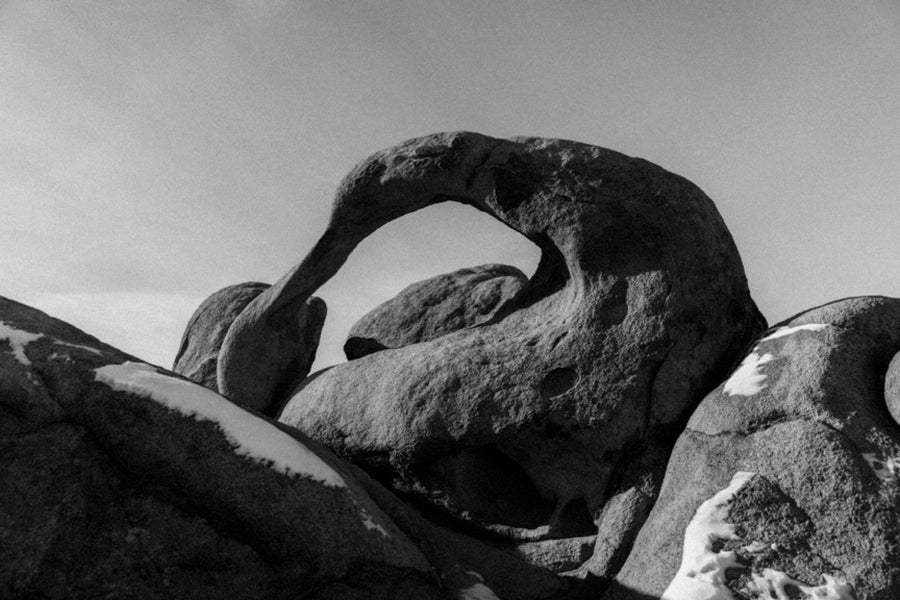
Rich, contrasty black and white for dramatic frames.
Install
Download the zip after checkout and unzip it.
In Lightroom on your computer or phone, open the Presets panel and choose Import Presets.
Pick the 12 .xmp files. They show up together as one group.
Click a preset, then adjust exposure and white balance to your photo.

Signature Presets
$20.00
Digital product. Nothing is shipped.
Questions
Yes, on RAW and JPEG. RAW files give you the most room to adjust.
Your light and camera are different from mine, so treat each preset as the starting point. On my own photos I usually adjust exposure and white balance after applying one.
Yes. Every preset works with Lightroom's Amount slider, so you can dial it down or push it further.
No. It's a digital download, and you get the files right after checkout.
Yes. Import them in Lightroom on your computer and they show up in the Lightroom app on your phone when you sign in with the same Adobe account. You can also import the .xmp files straight into the Lightroom app.
Yes. Use them on your own photos and on client work.
No. It's a digital download you get right after checkout, so all sales are final.